
When submitting photos to the club for the monthly challenge, it is important to use the correct resolution. The optimum resolution given the club’s current projection facilities and most of our monitors is 1920×1080.
If you are submitting one or more photos using a MacBook or Apple desktop using the Mac operating system and the Apple email app, it is important to make sure that you are mailing the image(s) at their actual size.
This is a sample email of a photo being submitted. Note that the “Image Size” is set to “Actual Size”.
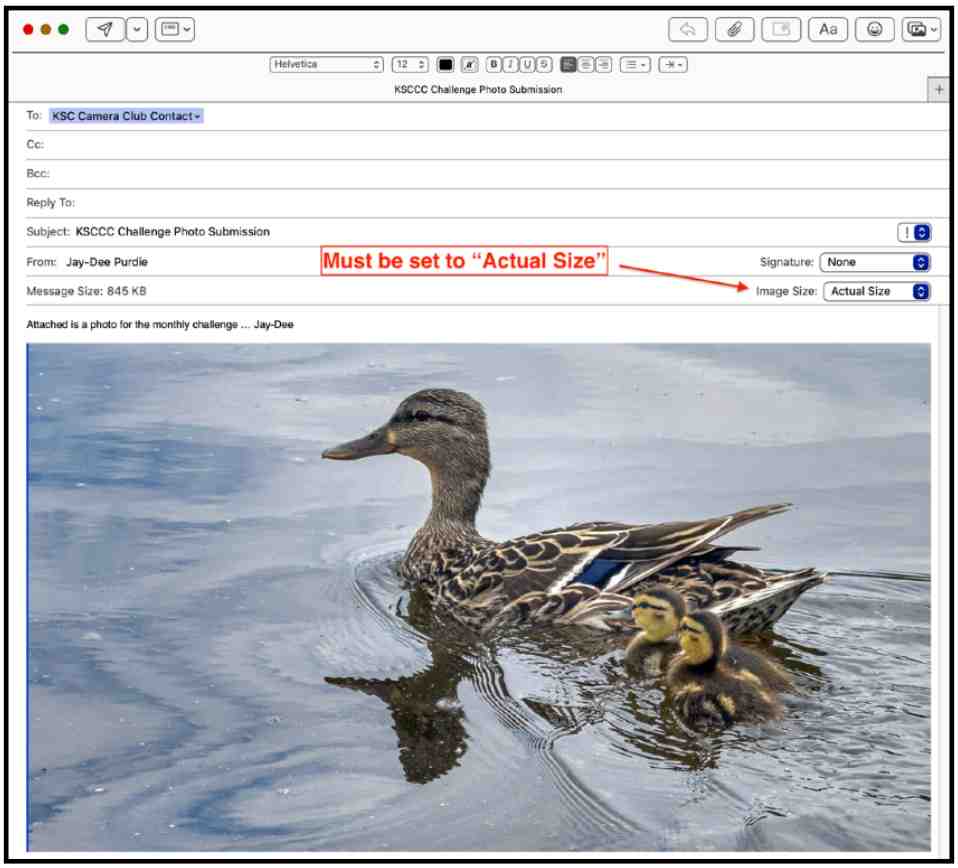
Other size options are:
- Small (320×240)
- Medium (640×480)
- Large (1280×960)
but these are not needed to submit an image to KSCCC.
Another important thing to note is that the Apple Email app will remember the Image Size that was used for a previous email. So, try and remember to always check this email option when sending photos.
Jay-Dee Purdie
 Kanata Seniors' Centre Camera Club