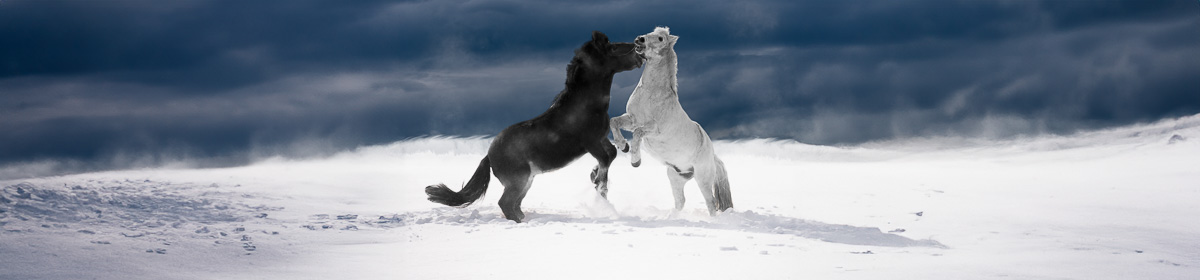
Ron Pierce, a new club member, submitted these two images:
for the March assignment. Click on the captions to see his originals on flickr.
He’s written an article on how he shot both images that will appear in the May shutterBUG.
Ron Pierce, a new club member, submitted these two images:
for the March assignment. Click on the captions to see his originals on flickr.
He’s written an article on how he shot both images that will appear in the May shutterBUG.
Amy Lo found these free tutorials that go along with the free Nik photo editing software we posted about here. Thanks for sharing Amy.
A few years ago Google bought the Nik software company. They began to sell the Nik photo editing suite and integrated some of Nik’s technology into google Photos. March 23, Google announced that all the tools in the Nik editing suite are now available for free. The Nik suite includes Analog Efex Pro, Color Efex Pro, Silver Efex Pro, Viveza, HDR Efex Pro, Sharpener Pro, and Dfine.
It used to sell for almost $500US!
These days, so many of the clocks in our lives set themselves automatically and know when and how to change to daylight saving time. If you have an older camera, it may not do this automatically.
While you change all your other analogue clocks, remember to update your camera so that the time recorded in the EXIF data is correct.
It seems like everybody on the web is writing posts about how to offer constructive criticism. Here is a another post to add to our recent list.
During the March meeting John showed a video example of using adjustment layers and layer masks. This article shows the same technique in much more detail. This technique applies to all versions of Photoshop and to Photoshop Elements since version 10.
If you want to practice you can use one of the public access computers at the Centre. If you want one-on-one help, you can book a session with a computer tutor.
During the February meeting, John Williamson showed us how to:
His notes that explain how to do both have been added to the meeting resources list on the Meetings page under February 2016. They can also be accessed buy clicking the links above. Thanks for the excellent presentations and notes.
Contrary to the name, Joshua Cripps‘ Professional Photo Tips channel on YouTube is a great collection of short instructional videos that all of us can watch and learn from. Some of the topics he covers are basic for example his recent video: “What is a Stop?” and some are more advanced like: “How to Use a 10 Stop Neutral Density Filter for Long Exposure Photography“.
Take a look. If you find any other sites you’d like to share with the rest of the club, please let us know at cameraclub@kanataseniors.ca.
At the February 5th meeting, Catherine Easton showed 2 slideshows she had made. The first was done using the PicturesToExe program (Essentials: $69, Deluxe: $129) and the second using Microsoft’s free program Windows Movie Maker. Note that this was the first slideshow Catherine created with Movie Maker.
Well done Catherine and thank you for sharing.
If you have a short (3 minute or less) slideshow you’d like to share at a future meeting, please let us know by emailing us here.