Cellphone Photography (Beyond the Selfie) Slideshow Now Online

Because we’re still meeting online in February, we are sharing the slideshow of images from our January Cellphone Photography (Beyond the Selfie) challenge online.

In order to view the slideshow full screen, please click Play (above) then on the word YouTube or click on this link.

Thanks again to Catherine Easton for creating this slideshow of our images.
Link for February Meeting

Click here to join our February meeting. 

The dial in link is  ‪(CA) +1 289-336-9919‬ PIN: ‪764 107 830‬#.  This is a southern Ontario area code so long distance charges may apply.

The Google Meet “room” will be opened at 8:45 a.m. on Friday morning if you need to check your equipment and 9:00 a.m. to sign in for the meeting which starts at 9:15 a.m.

During an online meeting the presenter may wish to show a presentation to all members. To review instructions on how to view a presentation click here.

If you have any issues email us at contact@ksccc.ca and we’ll try to help.

February Camera Club Meeting

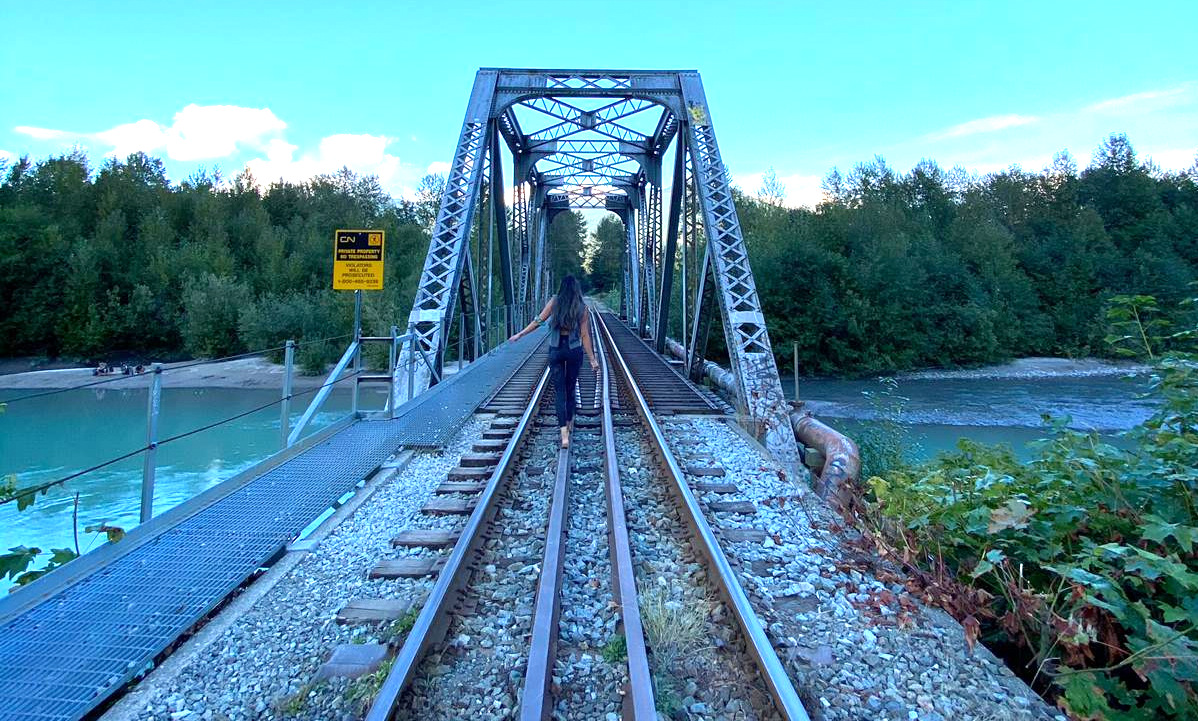
Walk the Line by Amy Lo

The monthly meeting will be held online on February 5th at 9:15 a.m. using Google Meet. For information on how to use Google Meet for our meetings go here. A link to the meeting will be posted on our website the morning of February 4th.

The agenda for the meeting is:

Continue reading “February Camera Club Meeting”

Karen Bell Presenting in February

Karen Bell, Fine Art Photographer

Karen Bell will be presenting Creative In-Camera Photography at our meeting on Friday, February 5th, 2021.  After graduating from Carleton University, Karen continued her education at Algonquin College graduating with Honours from the Photographic Arts program. After college, she worked at Valberg Imaging as a photographer and office/project manager. Since 2012, Karen has concentrated her energy on her own photography business, Belle Images & Design.  

The majority of Karen’s work focuses on landscape and nature, and for the past few years she has created a body of work in the ICM (Intentional Camera Movement) style, giving her work an impressionistic look.  

Continue reading “Karen Bell Presenting in February”

Software for Making Slideshows

The following is a list of software and instructional videos that members could use to make slideshows.  This list is by no means exhaustive. Note: You should always have updated virus protection before installing any software.

For instructions on sending in a slideshow refer to our website menu Pictures/Make a Slideshow.

Photoshop Elements by Adobe. There is also a link at the top of the page to download the trial version before purchasing the software.

Photoshop Elements 2020 Tutorial Creating a Slideshow Adobe Training by TeachUComp


Power Director 365 for Windows or Power Director 365 for Mac by Cyberlink

Manually Create a Slideshow from Photos by Sharper Turtle

IrfanView for Windows free software

Create a Slideshow with IrfanView by Butterscotchcom

Splice free software

Splice App Tutorial by Katie Kotynski

Animoto free software for the basic version.

How to Make an Animoto Slideshow by Jared Platt

Make Slideshows using Apple Products

The following is a list of instructional videos that may help you to make slideshows using Apple products.

Older versions of MacOS

iMovie Slideshow by Simply Mac Apple Premier Partner

Newer versions of MacOS

Make a Slideshow with iMovie 10 by John Whitehead Images
Create a Slideshow in iMovie by Scott Panfil. Quick and Easy

Keynote free software for MacOS 10.15 Catalina or later.

Create Beautiful Photo Slideshows in Keynote by macmostvideo.
Complete Beginner’s Guide to Apple Keynote (2020)


Ross Laing on Buying Used Gear

You can review an abridged version of Ross Laing’s excellent presentation on buying used photography equipment here.

Here are the links he included at the end of his presentation:

Used Equipment Camera Retailers:
Henrys
Vistek
Adorama
B&H Photo
KEH Camera
MBP

Brand Specific Marketplaces (using Pentax examples):
Pentax Forums
Pentax User

Local and online sellers:
Amazon
Camerama, Toronto
[Edward Village Hotel, 185 Yorkland Bl., Toronto. hours are 9:30-2:30. Admission is $7 (Students $5). Lots of free parking. For more
info email here ]
Camera Traders (Victoria, B.C.)
Camera Trading Company (Ottawa)
ebay
Etsy Cameras
kijiji
maxsold

Equipment Reviews:
Digital Photography Review

You Tube: