Thanks again to Jim Walker for his very interesting presentation on mounting techniques for our photos.
You can review his PowerPoint slides here.
Thanks again to Jim Walker for his very interesting presentation on mounting techniques for our photos.
You can review his PowerPoint slides here.
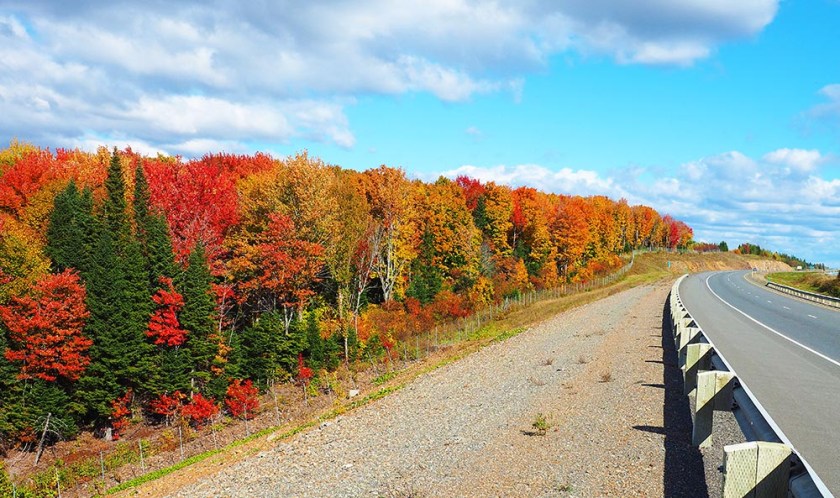 As the leaves and plants change in Fall, we are brought a panorama of colours and beauty to the delight of us all. For photographers who love to capture nature at its best, we try and judge when this foliage change is at the peak of beauty. We then scan weather reports and try and match good weather reports and sun lighting dates with this foliage change. Once complete we then have a date to go to a favourite location for our photo shoot.
While weather reports are easily come by, finding the peak colour period is not as easy. Fortunately for us some kind folks have created an online app which will help. This app tracks and reports colour changes in various locations. According to the maker “This guide will help you plan your Fall foliage viewing, and you can also check out this guide to the top 10 fall colour destinations in Canada.” You can find this app here.
In addition to being at the right place at the right time the challenge then is to use your artistic and technical skills to capture great photos. The Internet offers many good articles on tips photographers can use to help them get those “Wow” shots. I use Olympus equipment and follow their — most often generic — photography tips. The following link, from the Olympus Learning Centre – tips, to their Fall foliage tips, I rather like, and you may find useful.
Hope you have a great Fall and some successful shoots.
Frank Knor
A note of thanks to the following Kanata Seniors Centre Camera Club members for submitting some great photos for our October 2018 Library Showcase: Anne Walsh, Ian Buchanan, Qing Mao, and Georgia Dale Crichton.
I received a very nice email from the Library saying how beautiful they found the display.
This a great way to promote the club. Also it allows our members to see their photos out there for public viewing.
The display is at the inside entrance to the Beaverbrook Library in the Mlacak Centre and will be on view until October 15th.
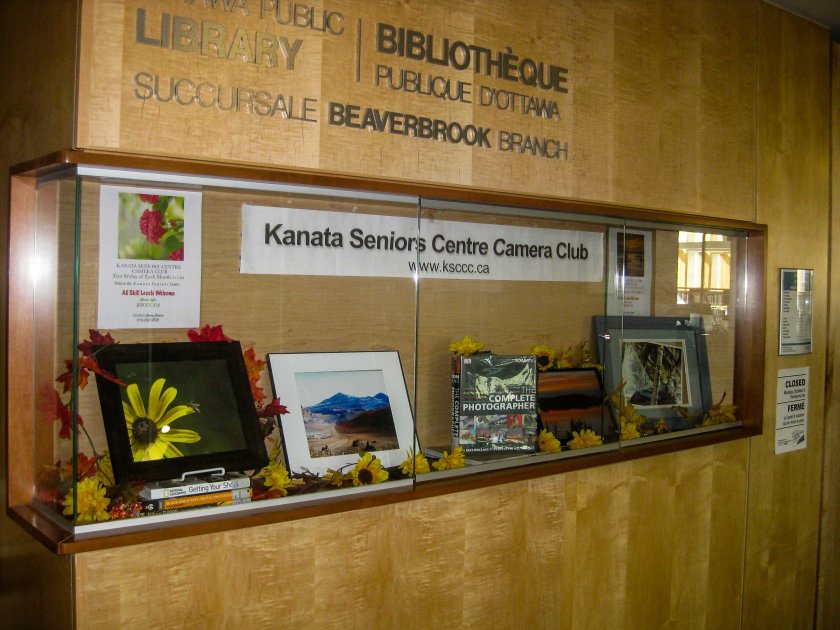
The Camera Club will be providing a new display requiring about 5 photos (8 by 10 framed ) in October and June of each year .
The display will be available for viewing for a two week period each time. We encourage everyone to consider submitting for the June display . We’ll ensure that different members have a chance to display each time.
Of course , there is a on-going need for photos for display throughout the KSC and photos can be submitted to Sue Carey for that purpose.
Thanks to everyone for your recent library showcase submissions ,
Library Ed
The next Camera Club meeting will be held on Friday,October 5th at 9:15 a.m.
Our meeting will include:
Your images for the assignment must be emailed by noon on Friday, September 28th to be included in the slide show. For details on how to submit photos including formats and titles go to our How to Submit page.
The next assignment is Dominant Colours and pictures from this assignment will be shown at the November 2nd meeting.
See you at the meeting.
Your Camera Club Executive

The 10th annual Geoheritage Day will take place on Saturday, September 29 from 10:00 am to 3:00 pm at The Pinhey Sand Dunes. To get there, drive south on Woodroffe Avenue, and turn left two blocks south of the Nepean Sportsplex onto Pineland Avenue. Park on the south shoulder beside the signed entry gate near the end of the road (T-junction with Vaan Drive).
You will have the chance to learn how geological processes have shaped the regional landscape, given us a glimpse into past environments and life forms and provided resources for our use.
Volunteers from Carleton University’s Department of Earth Sciences and the Ottawa-Gatineau Geoheritage Project will be on hand to explain what there is to see and how each site fits into the local geological history. The Pinhey Sand Dunes will be on the program.
For more information, please contact Joanne Hakkaku at the Biodiversity Conservancy:
hakkakuj@biodiversityconservancy.org
613-825-5492
Recently, a few camera club members had a sneak peak at the soon-to-be announced Beaverbrook Library Digital Lab. Gillian Johnson showed us the equipment we’ll be able to use to digitize slides and negatives:

to transcribe VHS tapes to DVD:

and to to transcribe 8 mm and Super-8 mm movies to mp4. She explained that there will also be a digital camera and light box available for use in the lab.
We’ve invited the library to our meeting on October 5th to give all the members more details on the new lab including how to sign up and costs.
<Added 2018-10-05>
For more details including availability and sign-up procedure, please contact Gillian Johnson the Beaverbrook Library:
The guest speaker at our meeting on October 5th will be Jim Walker of Walkerworks Picture Framing who will speak on:
“Photograph-Specific Mounting and Framing: Finishing Your Photo using High-Quality Mounting and Framing Techniques”

Jim, a partner in Walkerworks Picture Framing located in Stittsville, Ontario, has been an avid photography professional, enthusiast and educator for many years. He is a graduate of St. Lawrence College of Visual Arts and has also studied photography at the University of Ottawa. Jim holds the designation of Certified Picture Framer (CPF) and his business belongs to the North American Professional Picture Framing Association (PPFA). Jim has taught numerous seminars and classes on picture framing. He has given many hands-on workshops at various camera clubs, continuing education programs and community groups.
Jim brings a unique perspective to creating works of visual art through the combination of elements of design, colour and texture, and computer technology, as well as hand craftsmanship and woodworking skills.
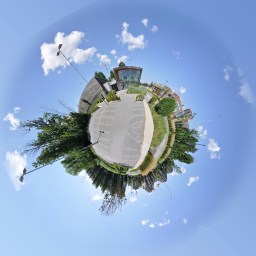
For the September meeting slideshow, I submitted an example of a “Tiny Planet” image that I made of the Beaverbrook Library. In the review, I asked for suggestions about other locations that would make good Tiny Planets.
I received a couple of good recommendations but more members asked how I did it.
First I shot a 11 image 360 degree panorama then I followed these steps in Photoshop:
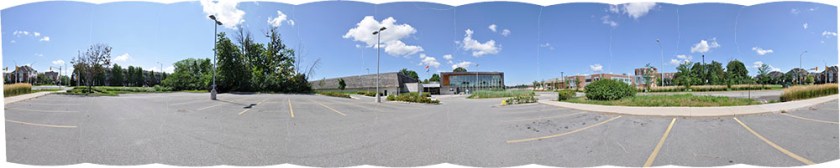

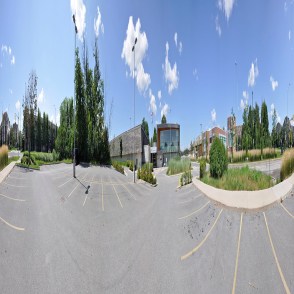
If you have any questions about how I did this, I’ll be glad to try and answer them.
There’s a great video here by Mike Browne (thanks to Phil Tughan for bringing him to our attention) that demonstrates the whole process.
Bill Robertson
The galleries of images from this summer’s assignments are now online.

The Summertime Favourites gallery is here.
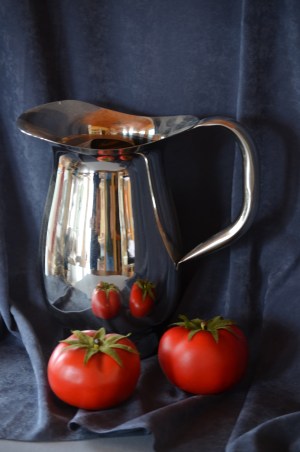
The Tabletop Photography gallery is here.
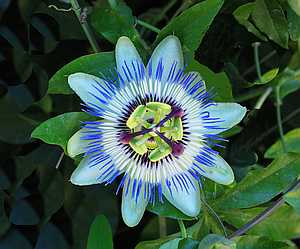
 Kanata Seniors' Centre Camera Club