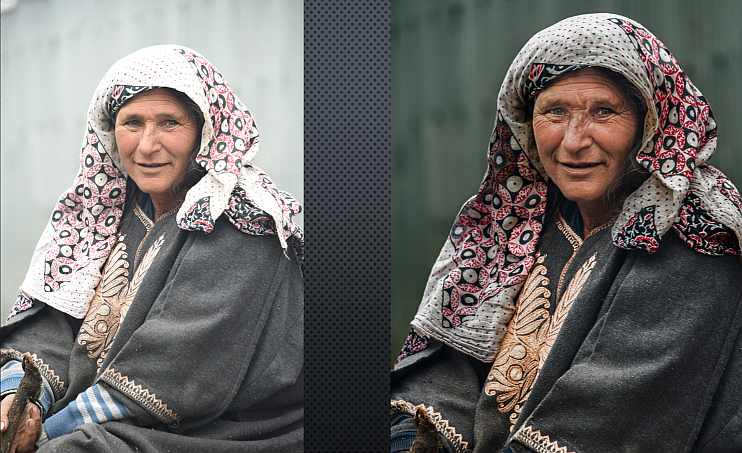
An Introduction to 10 Basic Post-processing Tools and Techniques

  • Date: Wednesday, January 29, 2025
  • Time: 1:30 p.m. – 3:00 p.m.
  • Location: Kanata Seniors Centre, Halls C&D
  • Sign-up:  Monthly KSCCC meeting on Friday, January 10, 2025
  • Instructor:  Ross Laing

This presentation is designed for anyone new to post-processing or photographers who are just starting to use post-processing. The presentation will look at common editing tools and techniques no matter which photo editing program you choose to use.

Deciding to edit your images using post-processing may seem overwhelming at first.  Learning about how to make a few basic edits and using just a few editing tools and techniques can improve your photography significantly.

Some key concepts that will be introduced during the presentation will include the difference between Global Edits vs. Local (Selective) Adjustments, as well as brief “real-time” demonstrations of editing sample photos using specific editing tools and techniques, including:

  1. Basic Global edits: exposure, white balance, contrast, etc.
  2. Crop & Level
  3. Selections: Magic Wand: Quick Selection Tool
  4. Eyedropper & Brush tool
  5. Spot healing: Patch tool
  6. Clone Stamp
  7. Burn & Dodge
  8. Black & White conversion
  9. Free Transform: Perspective
  10. Sharpen

Learn Photoshop Elements

During this period of social isolation due to the COVID-19 virus, why not learn to use Photoshop Elements? You can download a fully functional 30 day trial copy of the latest version of Photoshop Elements here using your Google, Facebook or Apple sign-in or by creating a free Adobe account.

Once you have Photoshop Elements downloaded and installed, take advantage of the free tutorials from Adobe, the many useful YouTube tutorials, and the free instruction on Lynda.com available through the Ottawa Public Library (as described in this earlier blog post).

Until the Centre re-opens, if you need help with any of this and if you are running Windows 10, I’ll be glad to schedule one-on-one remote tutorial sessions. Send an email to contact@ksccc.ca to arrange a time.

As always, if you have questions about photography, send them to contact@ksccc.ca and we’ll try and find you an answer.

Bill Robertson

Fix It With Photoshop Elements

At the February 7th meeting, Frank Knor gave a presentation where he showed before and after views of several of his images and explained how he had improved them in Photoshop Elements by removing distractions, adding catch lights, cloning, sharpening …

You can review Frank’s notes here.